
Instruct
A Complete Guide to Choosing Hosting and VPS Solutions for WordPress and WooCommerce Websites
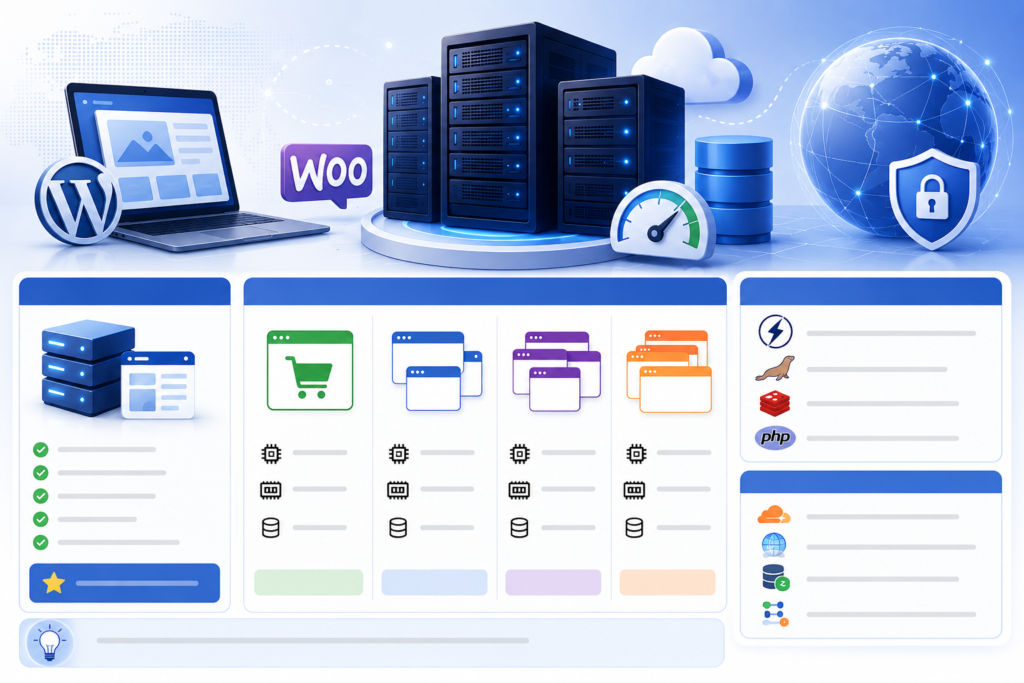
One of the most common mistakes businesses make when launching a website is choosing server infrastructure based on assumptions rather than actual needs. Many startups invest in high-end VPS servers even though their traffic remains relatively low, while some websites receiving thousands of daily visitors continue running on inexpensive shared hosting plans, resulting in slow performance, downtime, and scalability issues.
In reality, not every website requires a VPS, and a powerful VPS alone does not guarantee better performance if the system is not properly optimized. To select the right solution, website owners should evaluate the number of websites they manage, the type of website, actual traffic levels, and future growth plans.
When Is Hosting the Best Choice?
For many years, web hosting has remained the most popular option for WordPress websites. Modern hosting providers now offer NVMe SSD storage, LiteSpeed Web Server, and advanced caching technologies, delivering significantly better performance than traditional hosting environments.
For business websites, service websites, personal blogs, and small news portals, a high-quality hosting plan is often more than sufficient. A website receiving only a few thousand visits per month rarely consumes all the resources available in today’s business hosting packages.
The greatest advantage of hosting is simplicity. Website owners do not need to worry about server management, operating system updates, security patches, or infrastructure maintenance. Most of these responsibilities are handled by the hosting provider.
This is why many WordPress professionals recommend staying on quality hosting plans until a website genuinely requires additional resources or multiple websites need to be managed under a single platform.
Should a Single Website Use Hosting or a VPS?
If you operate only one standard WordPress website, a premium hosting package is usually the most cost-effective solution. A company website with dozens of pages, optimized images, and a few hundred daily visitors will rarely require dedicated VPS resources.
The situation changes when the website functions as an online store powered by WooCommerce. Every product page, customer account, shopping cart action, and order generates database queries. As visitor numbers increase, resource consumption rises significantly.
For WooCommerce stores containing hundreds of products and running active advertising campaigns through Google Ads or social media platforms, a VPS with at least four CPU cores and 4GB of RAM can provide a much more stable experience. Faster page loading, smoother checkout processes, and better handling of concurrent users all contribute to improved customer satisfaction and higher conversion rates.
The Ideal Solution for Around Five Websites
When managing approximately five websites, infrastructure requirements begin to evolve. Instead of paying for multiple separate hosting accounts, investing in a VPS often becomes a more efficient and economical solution.
For a group of business websites or service-oriented WordPress sites, a VPS with four CPU cores and 8GB of RAM is typically sufficient. If one or two of those websites use WooCommerce, allocating additional resources can help maintain performance during traffic spikes and marketing campaigns.
At this stage, the advantages of VPS hosting become increasingly noticeable. Administrators gain complete control over server settings, caching systems, PHP configurations, and performance optimizations tailored to their specific needs.
What Does It Take to Run Ten Websites Efficiently?
Managing ten websites is a common scenario for digital agencies, web design companies, and businesses operating multiple brands. At this point, a VPS becomes almost essential for centralized management and consistent performance.
Instead of focusing solely on storage capacity, attention should shift toward CPU power and memory allocation. These resources directly impact the server’s ability to process multiple requests simultaneously.
A VPS equipped with eight CPU cores and 16GB of RAM is generally suitable for most standard WordPress installations. However, if the portfolio includes multiple WooCommerce stores or content-heavy news websites, increasing resources to twelve CPU cores and 24GB of RAM can provide greater stability and room for growth.
One important principle is to avoid running servers at maximum capacity. Maintaining resource headroom ensures the system can handle unexpected traffic surges and future expansion without performance degradation.
Is It Possible to Host Fifty Websites on a Single VPS?
This is a question frequently asked by web development agencies and hosting professionals. The answer is yes, provided the infrastructure is designed and optimized correctly.
For approximately fifty standard WordPress websites, a VPS featuring sixteen CPU cores and 32GB of RAM can often deliver reliable performance. However, if many of those websites are WooCommerce stores or receive significant traffic, a configuration with twenty-four CPU cores and 64GB of RAM becomes a safer long-term investment.
At this scale, optimization becomes just as important as hardware specifications. A powerful server with poor configuration can perform worse than a smaller VPS that has been carefully optimized.
Many hosting providers and web agencies successfully operate dozens of client websites on a single VPS or Cloud VPS while maintaining excellent page speed through modern caching technologies and efficient server architecture.
What Should Be Installed on a VPS for WordPress and WooCommerce?
Many users assume that installing Apache or Nginx is sufficient for running WordPress. In reality, a modern WordPress VPS typically includes several components working together to maximize performance.
OpenLiteSpeed and LiteSpeed Enterprise are widely regarded as some of the best web server solutions for WordPress. Their ability to handle concurrent connections efficiently and integrate advanced caching systems makes them particularly attractive for high-performance websites. This is one reason why CyberPanel has gained substantial popularity among VPS administrators.
On the database side, MariaDB has become a preferred alternative to traditional MySQL in many environments due to its strong performance and scalability. Combined with PHP 8.2 or PHP 8.3, MariaDB can significantly improve application responsiveness and database efficiency.
Another critical component is Redis. By storing frequently accessed data in memory, Redis dramatically reduces database load. This is especially beneficial for WooCommerce stores where product browsing, cart updates, and customer interactions generate continuous database activity.
Additionally, enabling OPcache allows PHP scripts to remain cached in memory after compilation, reducing CPU usage and accelerating page generation.
Essential Optimizations for High-Traffic Websites
Many administrators assume that upgrading CPU and RAM is the only solution when a website becomes slow. In reality, website performance depends on a combination of infrastructure, software optimization, and traffic distribution strategies.
Cloudflare has become an almost mandatory tool for high-traffic websites. Beyond DDoS protection, it provides content caching and reduces the number of requests reaching the origin server, significantly lowering server load.
As websites continue to grow, implementing a Content Delivery Network (CDN) allows images, CSS files, and JavaScript assets to be delivered from servers closer to visitors around the world. This results in faster load times and a better user experience regardless of geographic location.
For large eCommerce platforms and extensive website networks, separating the database server from the web server can further improve scalability. By running database operations on a dedicated server, businesses can reduce resource contention and improve overall system performance.
Background tasks such as email delivery, report generation, and data synchronization should also be handled through queue systems rather than processed directly within the website. This approach minimizes delays and ensures a smoother experience for end users during peak traffic periods.
Building the Right Infrastructure for Long-Term Growth
Choosing between hosting and a VPS should never be about selecting the most powerful option available. Instead, the decision should be based on actual requirements and future business objectives.
A standard business website can operate successfully on premium hosting for many years without encountering significant limitations. On the other hand, WooCommerce stores, rapidly growing websites, and organizations managing multiple websites will eventually require VPS infrastructure to ensure performance, flexibility, and scalability.
For most businesses, starting with high-quality hosting and upgrading to a VPS when traffic demands increase remains the most practical approach. Meanwhile, web agencies and organizations managing ten to fifty websites should consider investing directly in a properly optimized VPS environment powered by OpenLiteSpeed, MariaDB, Redis, and PHP 8.3. This combination provides an excellent balance between performance, operational costs, and long-term scalability.

Bài Viết Liên Quan
How to Reissue SSL Certificates for a Domain in CyberPanel Using Both the Control Panel and SSH
Comparing Avada, Flatsome, Porto, WoodMart, and BeTheme with WooCommerce
Redis from Installation to Operation: A Complete Guide and How to Fix the “Failed listening on port 6379 (tcp)” Error
Check if your VPS has been hacked for unusual resource usage.
CSF, A Powerful and Easy to Control Firewall for Linux Servers
WordPress VPS Crashes After Using JetBrains AI + GitHub Copilot — How a Quick Fix Saved RAM and Wiped Out Malware
Bài Viết Cùng thể loại
How to Reissue SSL Certificates for a Domain in CyberPanel Using Both the Control Panel and SSH
What is CyberPanel and why it is one of the best free control panels for PHP
Check if your VPS has been hacked for unusual resource usage.
WordPress VPS Crashes After Using JetBrains AI + GitHub Copilot — How a Quick Fix Saved RAM and Wiped Out Malware
Guide to Installing ClamAV to Run Securely and Stably with ModSecurity and CSF on CyberPanel
Does OWASP Coraza WAF work on OpenLiteSpeed and CyberPanel?